
My office
Your cart (0)
Your cart is ready for a fresh start.
Explore office furniture designed for focused, comfortable work.
Continue shoppingMy office
Explore office furniture designed for focused, comfortable work.
Continue shoppingContent Menu
● Introduction
● Understanding Ergonomics in Reception Desk Design
>> What Is Ergonomics?
>> Why Focus on Ergonomics for Reception Desks?
● Core Ergonomic Principles for Modern Reception Desks
>> Adjustability and Flexibility
>>> Adjustable Desk Heights
>>> Adaptable Work Surfaces
>>> Accommodating Different Users
>> Spatial Layout and Clearance
>>> Legroom and Mobility
>>> Clearance for Equipment
>>> Visitor Interaction Zones
>> Surface Materials and Finishes
>>> Non-glare Surfaces
>>> Easy-to-Clean Materials
>>> Tactile Comfort
>> Technological Integration
>>> Built-in Cable and Power Management
>>> Monitor Arm and Accessory Supports
>>> Contactless Technology
>> Lighting and Visual Comfort
>>> Task Lighting
>>> Screen Placement and Glare Mitigation
>> Storage and Organization
>>> Accessible Storage Solutions
>>> Security Features
>> Aesthetic and Psychological Considerations
>>> Inviting Design Elements
>>> Color Psychology
>>> Privacy Features
● Applying Ergonomic Principles: Real-World Examples
>> Case Study 1 — Tech Company Reception
>> Case Study 2 — Medical Clinic Reception
● Implementation Tips and Checklist
>> Assess Needs and Gather Feedback
>> Prioritize Adjustability
>> Invest in Quality Accessories
>> Incorporate Branding and Aesthetics Thoughtfully
>> Ensure Compliance
● Frequently Asked Questions (FAQs)
The reception desk is the focal point of any corporate lobby, clinic, hotel, or business. It is often the first physical interaction visitors and clients have with an organization. In recent years, workplace design has undergone tremendous transformation, driven by a deeper understanding of ergonomics, employee well-being, and the evolution of modern work habits. A modern reception desk is no longer a simple piece of furniture; it is an orchestrated intersection of aesthetics, function, and human-centered design. This article unpacks what makes a reception desk truly ergonomic in today's workplace, explores the science and rationale behind various design choices, and offers practical insight into how these principles translate into real-world products.

Ergonomics refers to the science of designing workplaces, products, and systems to fit the people who use them. The goal is to optimize human well-being, performance, and comfort, while minimizing the risk of injury, strain, or inefficiency. In the context of a reception desk, ergonomics means creating an environment where both receptionists and visitors can interact with ease, efficiency, and comfort.
Receptionists often spend prolonged periods at their desks. Tasks can range from greeting guests to managing calls, handling paperwork, and navigating digital systems. Poor ergonomic design can lead to discomfort, chronic pain, repetitive strain injuries, and decreased productivity. On the other hand, a well-designed reception area can boost morale, support productivity, foster professionalism, and reflect positively on a company's brand image.
The ability to adjust the height of a reception desk is fundamental for ergonomic comfort. Individuals vary greatly in stature, and a fixed-height desk might be too tall or too short for many users. Modern desks often employ sit-stand mechanisms, electric motors, or simple manual adjustments to allow employees to set their workspace at the ideal height.
Proper desk height allows:
- Comfortable wrist position (neutral, not flexed or extended)
- Eye-level computer screens which reduce strain on the neck
- Optimal legroom for movement and circulation
Reception duties often require multitasking—writing, typing, phone usage, face-to-face interaction, and storage access. Multi-tiered surfaces, slide-out trays, or modular segments let staff work more efficiently and comfortably.
The desk's design should provide comfort for all employees, including those with disabilities. Features like variable height, accessible counters for wheelchair users, and accessible technology interfaces support workplace inclusivity and comply with regulations such as ADA (Americans with Disabilities Act).
A modern ergonomic desk maximizes legroom beneath the work surface. Ample space allows users to shift positions, cross their legs, or use ergonomic accessories such as footrests. Research suggests frequent small movements reduce musculoskeletal strain and improve comfort.
Receptionists use phones, computers, document trays, and other peripherals. Desk design should provide logical, accessible placement for essential work tools, minimizing excessive stretching or awkward postures. Cable management features can reduce clutter and tripping hazards.
Reception desks must also serve visitors. Counter heights need to accommodate standing and wheelchair-bound visitors. A lower section or rounded counter provides an approachable and inclusive interaction area, enhancing hospitality.
Glare from highly polished surfaces or improperly placed lighting can annoy both workers and guests. Non-glare or matte finishes reduce eye strain, particularly when working with computer screens.
Reception desks see high traffic and need to be hygienic. Modern materials—laminates, tempered glass, antimicrobial surfaces—offer both durability and simple maintenance.
Rounded, smooth edges prevent accidental bruising or snagging, especially for busy reception areas. Textured surfaces can improve grip for writing and working with documents.
Today's desks are technology hubs. Ergonomically designed desks feature concealed channels, grommets, and under-desk storage for cables, chargers, and power outlets. This reduces clutter and helps maintain a clean, professional appearance.
Many modern reception desks are equipped with adjustable arms for monitors, phones, and tablets. These allow quick, easy positioning and adjustment, so employees can maintain a neutral posture while shifting between tasks.
Post-pandemic, some reception desks now incorporate contactless check-in kiosks, scanners, or digital guest books. Ensuring these features are easily accessible, at an appropriate height, and do not introduce new ergonomic problems is key.
Proper illumination is critical for protecting eyesight and reducing fatigue. Integrated LED task lights, under-counter lighting, or dimmable overhead fixtures let receptionists adjust their light levels based on time of day or specific tasks.
Reception desks positioned near windows or high-intensity lighting require special consideration for computer screen placement. Anti-glare screens and adjustable monitor arms help maintain comfort without reducing visibility for visitors.
Ergonomic desks incorporate drawers, shelves, and cabinets within comfortable reach. Essential supplies—files, writing materials, and forms—should be retrievable without excessive bending or stretching.
Sensitive documents or valuable items may need to be locked away. Secure drawers with ergonomic handles, combination locks, or RFID access provide safety without sacrificing ease of use.
The look and feel of a reception desk affect both visitor impressions and employee mood. Rounded shapes, warm finishes, and branded elements create a welcoming atmosphere.
Colors like blue (calm), green (fresh), or natural wood tones (warmth) can subtly influence visitor and employee psychology, supporting a friendly and productive work environment.
Subtle screens, raised counters, or shielded work zones provide necessary privacy for receptionists dealing with confidential information, while still maintaining openness for public interaction.
A leading tech company redesigned its reception area to prioritize both ergonomic and collaborative needs:
- Height-adjustable desk modules fitted for receptionists of varying statures
- Dual-height counters providing wheelchair access and standing space for visitors
- Integrated power/data ports and wireless chargers
- Sound-absorbing panels to reduce noise and distraction
- Ample natural light with adjustable blinds for glare control
Result: increased staff satisfaction, reduced complaints of discomfort, and positive feedback from visitors.
A busy medical clinic adopted a new approach to its reception:
- Non-glare, antimicrobial desk surfaces for patient safety and easy cleaning
- Ergonomically angled writing surfaces for form filling
- Accessible cabinetry for frequently used documents and medical forms
- Integrated digital check-in stations at ADA-compliant heights
Result: faster check-ins, improved infection control, and happier reception staff.
- Survey staff to pinpoint discomfort zones and frequent complaints.
- Assess the diversity of users—are there receptionists with specific needs or visitors with accessibility requirements?
- Choose desks with adjustable features: height, positions, and attachment points for accessories.
- Opt for modular systems that can adapt as technology and tasks evolve.
- Ergonomic chairs with lumbar support
- Footrests, adjustable monitor arms, and antiglare protection
- Blend company colors, logos, and design language.
- Use lighting and shape to reinforce the organization's identity.
- Follow regional guidelines like the ADA for accessibility.
Review local occupational health standards for office furnishings.

1. Why is adjustable height so important for ergonomic reception desks?
An adjustable desk allows employees to position their work surface to match their body, reducing strain on wrists, shoulders, and neck, and accommodating both sitting and standing work preferences.
2. How can a reception desk support employees with disabilities?
By including features like adjustable desk height, accessible storage, and counter sections designed for wheelchair access, desks can support employees and visitors with mobility challenges.
3. Are sit-stand desks worth the investment for reception areas?
Yes. Sit-stand desks promote movement, reduce the risk of repetitive strain injuries, improve comfort, and accommodate the preferences of multiple users throughout the day.
4. What materials are best for ergonomic, modern reception desks?
Non-glare, easy-to-clean surfaces like laminated wood, tempered glass, and antimicrobial finishes are ideal. These materials reduce eye strain, support hygiene, and are durable.
5. How should technology be integrated with ergonomic principles in mind?
Positioning power outlets, charging areas, and device holders within easy reach reduces awkward postures. Monitor arms, cable management, and accessible digital interfaces are essential for tech-heavy environments.
6. What lighting considerations should be made for ergonomic reception desks?
Adjustable task lighting, non-glare desk finishes, and light placement (to minimize screen glare) all contribute to a visually comfortable workstation for receptionists.
7. How do ergonomic principles improve visitor experience at reception?
Ergonomic desks provide accessible counters for all visitors, foster quick, comfortable interaction, and project a welcoming, professional atmosphere that reflects positively on the company.
Hot Tags: China, Global, OEM, private label, manufacturers, factory, suppliers, manufacturing company

Leather Executive Office Chair with Genuine Leather, Solid Wood & Lumbar Support

Mesh Ergonomic Office Chair with Breathable Mesh & Lumbar Support for Executive Office
Freestanding Wooden Magazine Rack with Slanted Shelves & Metal Frame
Curved Reception Desk 47-94 in Wide with Keyboard Tray, File Drawers & LED Lighting
Curved Reception Desk 63-142 in Wide with Keyboard Tray, File Drawers & Fluted Front
Curved Reception Desk 47-150 in Wide with LED Lighting, Keyboard Tray & File Drawers

Ergonomic Office Chair with Swivel, Curved & Dual-Tone for Home Office
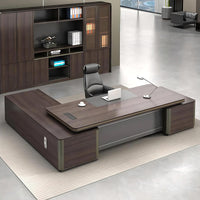
Modern Executive Desk 22-126 in Wide with Curved & Cable Management for Home Office
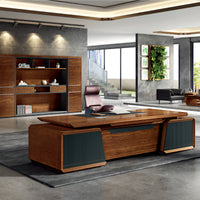
Modern Executive Desk 28-142 in Wide with Walnut for Home Office

Content Menu ● The Philosophy of Minimalist Modern Reception Desks >> What Makes a Desk Minimalist? >> Functional Elegance ● Core Elements of Minimalist Reception Desks >> Simplicity and Proportion >> Material Choices >> Clean Lines and...
Jul 16, 2025
Content Menu ● The Role of Modern Reception Desks in Enhancing Brand Image >> Integrating Technology to Impress and Streamline >> Branding Through Custom Design ● Enhancing Receptionist Efficiency and Well-being >> Ergonomic Design: Reducing...
Jul 16, 2025
Content Menu ● Table of Contents ● Understanding Reception Desk Evolution >> The Reception Area in Context >> Historic Reception Designs ● Defining Modern Reception Desks >> What Qualifies as a Modern Reception Desk? >> Key Features...
Jul 15, 2025