
My office
Your cart (0)
Your cart is ready for a fresh start.
Explore office furniture designed for focused, comfortable work.
Continue shoppingMy office
Explore office furniture designed for focused, comfortable work.
Continue shoppingContent Menu
● Understanding Executive Desk Drawer Mechanisms
>> Ball-Bearing Slides
>> Wooden Glides
>> Heavy-Duty Slides
>> Self-Closing or Soft-Close Mechanisms
● Preparing to Remove the Drawer
>> Clear the Drawer
>> Gather Necessary Tools
>> Inspect the Drawer Mechanism
● Step-by-Step Guide to Removing Drawers
>> Removing Drawers with Ball-Bearing Slides
>> Removing Drawers with Wooden Glides
>> Removing Drawers with Heavy-Duty Slides
>> Removing Drawers with Self-Closing Mechanisms
● Tips for Safe and Efficient Drawer Removal
>> Work from Top to Bottom
>> Be Mindful of Weight
>> Label the Drawers
>> Inspect the Tracks
● Common Issues and Troubleshooting
>> Drawer Won't Come Out
>> Stuck or Misaligned Tracks
>> Missing Release Levers
● Reinstalling the Drawers
● Citations:
Removing drawers from an executive desk is a task that may seem daunting at first, but with the right approach, it can be done efficiently and safely. Whether you're relocating, cleaning, or repairing your desk, understanding the process is essential. This guide will walk you through the steps to remove drawers from an executive desk, covering different types of drawer mechanisms and providing tips to avoid common pitfalls.

Executive desks often come with sophisticated drawer mechanisms designed for smooth operation and durability. Before attempting to remove the drawers, it's crucial to identify the type of mechanism your desk uses. Here are the most common types:
These slides are typically found in high-quality executive desks. They consist of metal tracks with ball bearings that allow the drawer to glide smoothly. Ball-bearing slides often have release levers or tabs that need to be disengaged to remove the drawer.
Older or more traditional executive desks may use wooden glides. These are simple tracks made of wood that the drawer slides on. Removing drawers with wooden glides often requires tilting or lifting the drawer to clear the tracks.
Some executive desks, especially those designed to hold heavy files or equipment, use heavy-duty slides. These slides are built to support significant weight and may require unscrewing or special techniques to remove the drawer.
Modern executive desks may feature self-closing or soft-close mechanisms. These systems use dampers or springs to ensure the drawer closes quietly and smoothly. Removing drawers with these mechanisms often involves locating and disengaging specific tabs or levers.
Before you start, take the time to prepare properly. This will make the process easier and reduce the risk of damaging your desk or injuring yourself.
Remove all items from the drawer to make it lighter and easier to handle. This also prevents any objects from falling out during the removal process.
Depending on the type of drawer mechanism, you may need tools such as a Phillips-head screwdriver, a flathead screwdriver, or pliers. Having these tools on hand will save time and frustration.
Take a moment to examine the drawer and its tracks. Look for any visible levers, tabs, or screws that may need to be disengaged. Understanding how the mechanism works will help you remove the drawer more efficiently.
The exact steps for removing a drawer will vary depending on the type of mechanism. Below are detailed instructions for each common type.
1. Pull the Drawer Out Fully: Extend the drawer to its maximum length. This will give you access to the release levers or tabs.
2. Locate the Release Levers: Look for small tabs or levers on the sides of the drawer tracks. These are usually located near the center of the track.
3. Disengage the Levers: Press down on both levers simultaneously while gently pulling the drawer toward you. This should release the drawer from the tracks.
4. Remove the Drawer: Once the levers are disengaged, carefully pull the drawer out of the desk. Be mindful of its weight, especially if it's a large file drawer.
1. Pull the Drawer Out Fully: Extend the drawer as far as it will go. This will help you see where the drawer meets the wooden tracks.
2. Tilt the Drawer Downward: Gently tilt the front of the drawer downward to lift the back edge off the tracks.
3. Slide the Drawer Off: Once the back edge is clear, slide the drawer out of the desk. Be careful not to force it, as this could damage the tracks.
1. Access the Screws: Heavy-duty slides are often secured with screws. Look for screws attaching the slides to the drawer or the desk frame.
2. Unscrew the Slides: Use a screwdriver to remove the screws. Keep them in a safe place for reinstallation.
3. Remove the Drawer: Once the screws are removed, carefully lift the drawer out of the desk. Heavy-duty drawers can be quite heavy, so consider asking for assistance.
1. Pull the Drawer Out Fully: Extend the drawer to its maximum length to access the release mechanism.
2. Locate the Release Tabs: Look for tabs or levers on the sides of the tracks. These may be positioned differently depending on the brand.
3. Disengage the Tabs: Press or pull the tabs as directed to release the drawer. Some mechanisms may require you to push the tabs in opposite directions.
4. Remove the Drawer: Once the tabs are disengaged, gently pull the drawer out of the desk.

If you're removing multiple drawers, start with the top one and work your way down. This prevents the desk from becoming top-heavy and potentially tipping over.
Executive desk drawers, especially file drawers, can be heavy. Use proper lifting techniques to avoid strain or injury. If necessary, ask for assistance.
If you're removing multiple drawers, label them with their corresponding positions. This will make reinstallation easier and ensure each drawer goes back in the correct spot.
While the drawer is out, take the opportunity to clean and inspect the tracks. Remove any debris or dust that could affect the drawer's operation.
If the drawer doesn't release after disengaging the levers or tabs, check for additional screws or obstructions. Some drawers may have hidden fasteners that need to be removed.
If the drawer is difficult to remove or feels stuck, the tracks may be misaligned or damaged. Inspect the tracks and adjust or repair them as needed.
Some older or custom executive desks may not have visible release levers. In these cases, you may need to unscrew the drawer from the slides or use a flathead screwdriver to gently pry it loose.
Once you've completed your task, you'll need to reinstall the drawers. Here's how to do it:
1. Align the Drawer with the Tracks: Position the drawer so that it aligns with the tracks or slides.
2. Slide the Drawer In: Gently push the drawer into the desk until it's fully seated.
3. Engage the Mechanism: If your desk has release levers or tabs, ensure they are properly engaged to secure the drawer.
4. Test the Drawer: Open
[1] https://www.ovisonline.com/blog/resources-3/how-to-remove-drawers-with-the-most-common-types-of-drawer-slides-11
[2] https://www.orisonoffice.com/support/assembly/the-wide-files/the-wide-file-drawer-slide-removal
[3] https://windowhardwaredirect.com/blogs/news/a-step-by-step-guide-on-how-to-remove-drawers-with-stops-effectively
[4] https://eonworkplace.com/office-desk-workstation-care-part-1-fixing-a-desk-drawer/
[5] https://windowhardwaredirect.com/blogs/news/a-comprehensive-guide-on-how-to-remove-drawers-with-stops-effortlessly
[6] https://windowhardwaredirect.com/blogs/news/ultimate-guide-how-to-remove-a-drawer-with-no-lever-effortlessly
[7] https://www.youtube.com/watch?v=wPum7Ak8Qw0
[8] https://www.youtube.com/watch?v=VvorrZWbGuE
[9] https://www.youtube.com/watch?v=YBMK9Eqtws8
[10] https://www.youtube.com/watch?v=aU3owfJnzP4
[11] https://www.reddit.com/r/Workspaces/comments/193s81l/anyone_know_how_to_remove_this_middle_office_desk/
[12] https://www.reddit.com/r/handyman/comments/18wcmg0/remove_desk_drawers/

Modern Executive Desk 25-110 in Wide with Side Storage for Home Office

Executive Office Desk with Built-In Power and Storage
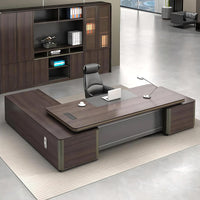
Modern Executive Desk 22-126 in Wide with Curved & Cable Management for Home Office

Modern Executive Desk 28-142 in Wide with Walnut for Home Office

Practical L-Shaped Side Storage Executive Desk with Cable Management

Modern Executive Desk with Lockable Side Storage

Content Menu ● Materials and Tools ● Step-by-Step Construction >> Preparing the Desktop >> Assembling the Desk Frame >> Installing Drawers >> Final Assembly and Finishing >> Adjusting the Desk Height ● Tips for Success ● Related Questions and...
Mar 19, 2025
Kaguyasu — Elevate Your Workspace with Premium Executive Desks At Kaguyasu, we are dedicated to designing and crafting high-quality executive desks that combine expert craftsmanship with contemporary aesthetics. Our desks...
Mar 19, 2025
内容菜单 ● 木质办公桌的好处 >> 耐用性和可持续性 >> 审美诉求 >> 定制化和多功能性 ● 木制行政办公桌款式 >> 传统与现代设计 >> 行政办公桌特点 ● 为您的行政办公桌选择合适的木材 >> 热门木材类型 >> 可持续性考虑 ● 木质行政办公桌的定制选项 >> 尺寸和形状 >> 表面处理和颜色 ● 木质办公桌的保养与护理 >> 定期清洁 >> 修补 ● 结论 ● 常见问题 在办公家具领域,木质行政办公桌是专业和优雅的象征。这些办公桌采用优质木材制成,经久耐用,具有永恒的美感,可提升任何办公环境。作为一家专门生产定制木质行政办公桌的中国工厂,我们通过提供 OEM 服务来满足国际品牌、批发商和制造商的需求。本文深入探讨了木质行政办公桌的世界,探索了它们的优点、风格以及它们如何提升您的工作空间。 木质办公桌的好处 耐用性和可持续性 木质行政办公桌以耐用性而闻名。这些办公桌由实木制成,可以承受日常使用的严苛考验,包括多个显示器和其他重型办公设备的重量[4]。与刨花板或中密度纤维板制成的办公桌不同,木质行政办公桌不易因高温和潮湿而受损,确保其长期保持稳定和功能性[4]。此外,木质办公桌的可持续性也是一个显著的优势;它们由天然材料制成,可以使用数十年,减少了频繁更换的需求,从而最大限度地减少了浪费[3]。 美学诉求 木材的自然美感为任何办公室增添了温暖、诱人的氛围。木质行政办公桌有多种木材类型,如橡木、胡桃木、樱桃木和桃花心木,每种木材都具有独特的纹理图案和质感,增强了办公桌的美感[10]。无论您喜欢传统还是现代风格,都有一种木质行政办公桌风格与您的办公室装饰相匹配。木材的丰富色调也营造出一种权威和专业的感觉,使其成为行政办公室的理想选择[8]。 定制化和多功能性 One of...
Mar 12, 2025