
Select a checkout option below
Your cart is currently empty.
Continue shopping
Content Menu
● Understanding Ergonomics and Its Importance
>> What Does Ergonomics Mean for Executives?
>> The Risks of Poor Ergonomics
● Key Ergonomic Principles for Executive Desk Setup
>> Proper Desk and Chair Height
>> Monitor Position and Height
>> Keyboard and Mouse Placement
● Enhancing Comfort Through Chair Selection and Adjustment
>> Choosing an Ergonomic Executive Chair
>> Adjusting the Chair for Optimal Support
>> Encouraging Movement with Dynamic Seating
● Desk Organization Strategies to Improve Ergonomics
>> Positioning Tools and Materials Within Reach
>> Using Adjustable Desk Accessories
>> Cable Management for Safety and Accessibility
● Lighting and Visual Ergonomics
>> Natural and Artificial Lighting Balance
>> Task Lighting for Precision Work
>> Monitor Settings for Eye Comfort
● Integrating Technology for Enhanced Ergonomics
>> Using Ergonomic Keyboards and Mice
>> Voice Recognition Software
>> Adjustable Sit-Stand Desks
● Encouraging Healthy Habits to Complement Ergonomic Improvements
>> Taking Regular Breaks and Stretching
>> Proper Posture Awareness
>> Hydration and Eye Care
● Personalizing the Executive Workspace
>> Custom Desk Configuration
>> Using Comfortable Supporting Accessories
>> Creating a Relaxing Atmosphere
● Conclusion
● Frequently Asked Questions (FAQs)
Creating a workspace that balances ergonomics and comfort is essential for executive professionals who often spend long hours at their desks. Poor ergonomics can lead to discomfort, reduced productivity, and even long-term health issues such as musculoskeletal disorders. This comprehensive article explores practical strategies to enhance ergonomics and comfort at executive desks, fostering a workspace that promotes well-being, efficiency, and sustained focus throughout the workday.

Ergonomics is the science of designing workplaces, products, and systems to fit the users' needs, enhancing safety, comfort, and efficiency. For executives, who often hold demanding positions that require extended hours of computer use, phone calls, and meetings at their desks, proper ergonomic design is critical.
Executives typically have workstations equipped with multiple devices, vast amounts of paperwork, and frequent meetings. This complexity necessitates special consideration to prevent strain on muscles, joints, and the nervous system. Ergonomics in this context means creating a desk setup that supports natural body posture, minimizes repetitive movement, and reduces stress on the spine and limbs.
Ignoring ergonomics can lead to problems such as neck stiffness, back pain, carpal tunnel syndrome, eye strain, and headaches. These issues not only affect physical health but also severely impact productivity, mental sharpness, and job satisfaction. Increasingly, businesses are recognizing that investing in ergonomic improvements can reduce sick days and enhance employee engagement.
To improve ergonomics at an executive desk, it's important to follow fundamental principles that address posture, movement, and accessibility.
The desk and chair heights should be adjusted so that the elbows rest comfortably at about a 90-degree angle when typing or using a mouse. Feet should be flat on the floor or on a footrest, preventing undue pressure on the thighs.
Screens should be placed directly in front of the user, approximately an arm's length away. The top of the monitor should be at or just below eye level to prevent neck strain from looking up or down.
The keyboard and mouse should be positioned to allow the wrists to be straight and the arms close to the body. Wrist rests can be added to support the hands and reduce tension while typing or clicking.
The right chair significantly impacts comfort during long hours at an executive desk. Investing in a high-quality ergonomic chair is a cornerstone of improving workspace ergonomics.
Look for chairs with adjustable seat height, backrest angle, lumbar support, and armrests. Executive chairs often combine luxury and function, offering plush padding but also the ability to adapt to the user's body shape and preferences.
Adjust the lumbar support to fit the inward curve of the lower back. The chair seat should tilt slightly forward or remain flat to keep hips aligned. Armrests should support the elbows without raising the shoulders.
Consider chairs that promote micro-movements, such as balance ball chairs or seats with a slight rocking feature. Dynamic seating encourages posture changes and keeps blood flowing, reducing stiffness and fatigue.
A clean and well-organized desk supports ergonomic comfort by minimizing awkward reaches and keeping essential items within easy reach.
Frequently used items such as phones, notepads, and pens should be positioned close to the dominant hand. This reduces repeated overreaching that can stress the shoulder and arm muscles.
Document holders and phone stands placed beside the monitor can prevent neck twisting. Adjustable monitor arms allow users to easily change screen height and angle.
Ensure cables for electronic devices are secured and out of the way to prevent accidental trips and allow freedom of movement at the desk.
Proper lighting reduces eye strain and headaches, which are common complaints tied to poor ergonomic setups.
Whenever possible, position desks near windows to benefit from natural light without glare on the screen. Use adjustable blinds to control brightness during different times of the day.
Add focused desk lamps that provide direct light on documents or detailed work, reducing eye fatigue.
Adjust monitor brightness, contrast, and color temperature according to ambient lighting. Many modern monitors have blue light filters that help reduce eye strain.
Technology can play a significant role in improving ergonomic conditions at executive desks.
Ergonomic keyboards, including split or curved models, reduce wrist deviation and muscle tension. Vertical or trackball mice offer alternatives that can be more comfortable for some users.
Minimizing typing by using voice commands can reduce repetitive strain, especially when handling large amounts of text or emails.
Sit-stand desks allow alternating between sitting and standing, promoting movement and reducing the risks of prolonged sitting.
Even the best ergonomic setup is only part of the solution. Incorporating healthy work habits supports overall comfort and productivity.
Perform short breaks every 30 to 60 minutes to stand up, stretch, and move around. This practice alleviates muscle tension and improves circulation.
Maintaining a neutral spine position and avoiding slouching or leaning forward are crucial. Ergonomic chairs and reminders can help maintain good posture throughout the day.
Drinking sufficient water keeps muscles hydrated and reduces fatigue. The 20-20-20 rule—looking 20 feet away for 20 seconds every 20 minutes—helps reduce eye strain.
Comfort is subjective, and personalization can make ergonomic improvements more effective by meeting individual preferences.
Some executives prefer more space for paperwork, while others need multiple monitors or larger displays. Tailoring the desk layout around personal workflow enhances both comfort and efficiency.
Adding cushions, footrests, or ergonomic mats can provide extra support and comfort, especially for those with specific health concerns.
Soft background music, plants, and personalized décor contribute to a workspace that feels welcoming and stress-free, improving mental comfort.
Improving ergonomics and comfort at executive desks requires a comprehensive approach that includes proper furniture selection, thoughtful desk organization, appropriate lighting, integration of technology, and the promotion of healthy habits. By addressing these factors, executives can create a productive and health-supportive environment that enables them to work comfortably and efficiently throughout the day.

Q1: How often should I adjust my sitting position to maintain comfort?
A1: It is recommended to change your sitting position every 20-30 minutes and take short breaks at least every hour to stand, stretch, and move.
Q2: Are sit-stand desks really beneficial for executives?
A2: Yes, sit-stand desks encourage movement and reduce the negative effects of prolonged sitting, such as back pain and decreased circulation.
Q3: What is the ideal height for a computer monitor?
A3: The top of the monitor should align with or be slightly below eye level, and the screen should be about an arm's length away to minimize neck and eye strain.
Q4: Can ergonomic accessories really prevent injuries like carpal tunnel syndrome?
A4: While ergonomic accessories reduce risk factors, they should be combined with good work habits like frequent breaks and correct posture to be effective in injury prevention.
Q5: How can lighting affect my productivity at an executive desk?
A5: Proper lighting reduces eye strain, headaches, and fatigue, creating a more comfortable workspace that supports sustained concentration and productivity.
Hot Tags: China, Global, OEM, private label, manufacturers, factory, suppliers, manufacturing company

Leather Executive Office Chair with Genuine Leather, Solid Wood & Lumbar Support

Mesh Ergonomic Office Chair with Breathable Mesh & Lumbar Support for Executive Office

Bookcase Storage Cabinet 71 in Tall for Home Office
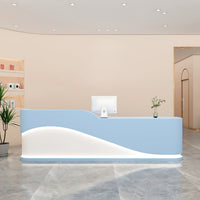
Curved Reception Desk 47-94 in Wide with Keyboard Tray, File Drawers & LED Lighting
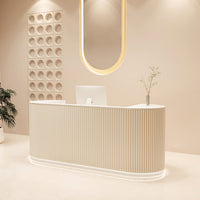
Curved Reception Desk 63-142 in Wide with Keyboard Tray, File Drawers & Fluted Front
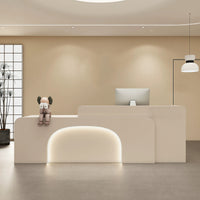
Curved Reception Desk 47-150 in Wide with LED Lighting, Keyboard Tray & File Drawers

Ergonomic Office Chair with Swivel, Curved & Dual-Tone for Home Office

Modern Executive Desk 25-110 in Wide with Side Storage for Home Office
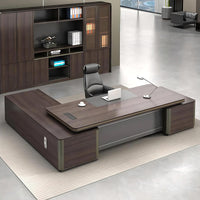
Modern Executive Desk 22-126 in Wide with Curved & Cable Management for Home Office
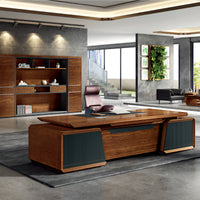
Modern Executive Desk 28-142 in Wide with Walnut for Home Office

Content Menu ● Understanding the Importance of L-shaped Executive Desks >> What Makes L-shaped Executive Desks Popular? >> Key Features to Consider When Selecting L-shaped Desks ● Leading Manufacturers of L-shaped Executive Desks >> 1....
Aug 18, 2025
Content Menu ● What is an L-shaped Executive Desk? ● Why Choose an L-shaped Executive Desk? >> Maximized Workspace >> Space Efficiency >> Enhanced Organization >> Professional Appearance ● Key Considerations When Buying an L-Shaped Executive Desk...
Aug 17, 2025
Content Menu ● Understanding the Desk Designs >> What is an L-shaped Executive Desk? >> What is a U-shaped Desk? ● Space Utilization and Layout >> L-shaped Desk Space Usage >>> Benefits of Corner Placement >> U-shaped...
Aug 17, 2025