
My office
Your cart (0)
Your cart is ready for a fresh start.
Explore office furniture designed for focused, comfortable work.
Continue shoppingMy office
Explore office furniture designed for focused, comfortable work.
Continue shoppingContent Menu
● Understanding Tech-Heavy Setups
>> What is a Tech-Heavy Setup?
>> Importance of Choosing the Right Desk
● Key Features to Look for in a Desk
>> Size and Space
>> Weight Capacity
>> Cable Management
>> Adjustability
● Top Desks for Tech-Heavy Setups
>> 1. Uplift V2 Standing Desk
>> 2. Flexispot E7 Pro
>> 3. Secretlab Magnus Pro
>> 4. Autonomous SmartDesk 5
>> 5. Branch Duo Standing Desk
● Ergonomics and Comfort
>> Importance of Ergonomics
>> Tips for Setting Up Your Desk
● Additional Considerations
>> Style and Aesthetics
>> Budget
● Conclusion
>> Frequently Asked Questions
In today's digital age, a well-designed office desk is essential for anyone who relies heavily on technology. Whether you're a gamer, a graphic designer, or a remote worker, the right desk can enhance your productivity and comfort. This article explores the best office desks for tech-heavy setups, focusing on features that cater to the needs of tech enthusiasts.

A tech-heavy setup typically includes multiple monitors, high-performance computers, and various peripherals such as keyboards, mice, and audio equipment. These setups are common among gamers, content creators, and professionals who require extensive screen real estate and powerful hardware.
The right desk can significantly impact your workflow and comfort. A desk that accommodates your technology while providing ergonomic support can help reduce strain and increase efficiency. Key factors to consider include size, weight capacity, cable management, and adjustability.
When selecting a desk for a tech-heavy setup, size is crucial. A desk should be spacious enough to hold multiple monitors and other equipment without feeling cramped. Ideally, look for desks that are at least 60 inches wide, especially if you plan to use dual or triple monitor setups.
Tech-heavy setups often involve heavy equipment. Therefore, it's essential to choose a desk with a high weight capacity. Many standing desks can support between 300 to 440 pounds, making them suitable for multiple monitors and other tech gear.
With multiple devices comes the challenge of managing cables. A desk with built-in cable management features, such as grommet holes and cable trays, can help keep your workspace tidy and organized. This not only improves aesthetics but also prevents tangling and damage to cables.
Ergonomics play a vital role in maintaining comfort during long hours of work or gaming. Desks that offer height adjustability, such as standing desks, allow users to alternate between sitting and standing, promoting better posture and reducing fatigue.
The Uplift V2 is a top choice for tech-heavy setups due to its impressive weight capacity and customizable features. It can support up to 355 pounds and offers a wide range of height adjustments, making it suitable for users of all heights. The desk also includes excellent cable management options, ensuring a clean workspace.
The Flexispot E7 Pro is another excellent standing desk that can handle heavy loads, supporting up to 440 pounds. Its sturdy construction and smooth height adjustment make it ideal for tech enthusiasts who need a reliable workspace. The desk also features a spacious surface area, perfect for multiple monitors and accessories.
Designed with gamers in mind, the Secretlab Magnus Pro combines style and functionality. It features a sleek design with integrated cable management and a magnetic cable tray. This desk is perfect for those who want a modern look while keeping their tech organized.
The Autonomous SmartDesk 5 is a versatile option that caters to both office workers and gamers. It offers a robust weight capacity and a variety of desktop sizes. The desk's ergonomic design and adjustable height settings make it a great choice for long hours of use.
For those with limited space, the Branch Duo Standing Desk is an excellent choice. It is compact yet functional, providing enough surface area for dual monitors. The desk is height adjustable and features a minimalist design that fits well in any office environment.
Ergonomics is the science of designing a workspace that fits the user's needs. A well-designed desk can help prevent discomfort and injuries associated with prolonged sitting or standing. Key ergonomic features to consider include:
- Height Adjustability: Allows users to find their optimal working height.
- Surface Area: A larger surface area provides more room for equipment and reduces clutter.
- Keyboard and Monitor Placement: Proper placement can help reduce neck and eye strain.
1. Monitor Height: The top of your monitor should be at or slightly below eye level to prevent neck strain.
2. Keyboard Position: Keep your keyboard at a height that allows your elbows to be at a 90-degree angle.
3. Chair Height: Your chair should support your lower back, and your feet should rest flat on the floor.
While functionality is crucial, the style of your desk can also impact your workspace's overall look. Choose a desk that complements your office decor and reflects your personal style. Options range from sleek modern designs to more traditional wooden finishes.
Desks for tech-heavy setups can vary significantly in price. It's essential to set a budget and find a desk that meets your needs without breaking the bank. Many high-quality options are available at various price points, ensuring you can find something that fits your budget.
Choosing the right desk for a tech-heavy setup is vital for enhancing productivity and comfort. Consider factors such as size, weight capacity, cable management, and adjustability when making your selection. The desks mentioned in this article are some of the best options available, catering to various needs and preferences.

1. What is the best desk size for a dual monitor setup?
A desk should be at least 55 inches wide for dual monitors, but 60-65 inches is ideal for better organization.
2. Are standing desks suitable for heavy equipment?
Yes, many standing desks can support heavy loads, with some models accommodating up to 440 pounds.
3. How can I manage cables effectively?
Look for desks with built-in cable management features like grommet holes and trays to keep cables organized.
4. What ergonomic features should I look for in a desk?
Key ergonomic features include height adjustability, a spacious surface area, and proper monitor and keyboard placement.
5. How much should I budget for a quality office desk?
Quality office desks can range from $200 to over $1,000, depending on features and materials. Set a budget that aligns with your needs.
Hot Tags: China, Global, OEM, private label, manufacturers, factory, suppliers, manufacturing company

Modern Reception Desk 31 in Wide for Office Lobby

Leather Executive Office Chair with Genuine Leather, Solid Wood & Lumbar Support

Mesh Ergonomic Office Chair with Breathable Mesh & Lumbar Support for Executive Office
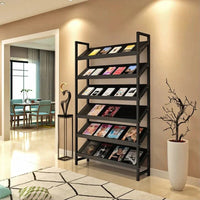
Bookcase Storage Cabinet 71 in Tall for Home Office
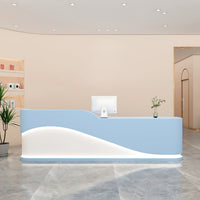
Curved Reception Desk 47-94 in Wide with Keyboard Tray, File Drawers & LED Lighting
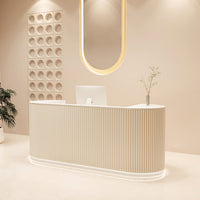
Curved Reception Desk 63-142 in Wide with Keyboard Tray, File Drawers & Fluted Front
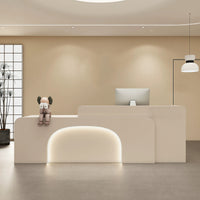
Curved Reception Desk 47-150 in Wide with LED Lighting, Keyboard Tray & File Drawers

Ergonomic Office Chair with Swivel, Curved & Dual-Tone for Home Office

Modern Executive Desk 25-110 in Wide with Side Storage for Home Office

Executive Office Desk with Built-In Power and Storage
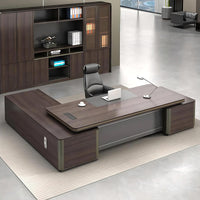
Modern Executive Desk 22-126 in Wide with Curved & Cable Management for Home Office
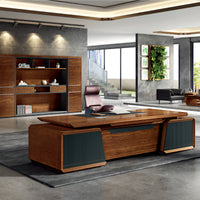
Modern Executive Desk 28-142 in Wide with Walnut for Home Office

Content Menu ● Understanding Your Needs >> Assessing Your Work Style >> Space Considerations ● Types of Office Desks >> Traditional Desks >> L-Shaped Desks >> Standing Desks >> Sit-Stand Desks >> Compact Desks ● Key Features to Consider >> Ergonomics...
Nov 10, 2025
Content Menu ● Understanding Executive Desks >> Design and Aesthetics >> Size and Space Requirements >> Functionality and Features ● Exploring Standard Office Desks >> Design and Aesthetics >> Size and Space Requirements >> Functionality and Features ● Key...
Nov 10, 2025
Content Menu ● Understanding Conference Table Shapes >> The Role of Table Shape in Meeting Dynamics >> Common Table Shapes in Modern Offices ● Round Conference Tables >> Advantages of Round Tables >> Disadvantages of Round...
Nov 10, 2025